

Here is another educational resource from Mixal — today, we are tackling the toolkit you need to master your server environment.
Managing servers is a high-stakes game for any organization or software developer. Think of server monitoring as the vital signs monitor for your applications; it ensures your systems are efficient and your users remain happy. As software gets more complex and organizational needs skyrocket, finding the “perfect” server management tool can feel like finding a needle in a haystack.
These tools handle everything from the bread-and-butter tasks—like installation, configuration, performance monitoring, security, and resource allocation—to advanced capabilities like automation and virtualization.
Free Control Panels
If you are hunting for the best free control panels to manage your cloud environment, you have some powerful options like CloudPanel, Webmin, VestaCP, Ajenti, aaPanel, CyberPanel, and Froxlor—all without spending a dime. These open-source server management tools allow users to manage their VPS hosting completely free of charge.
Don’t let the “free” price tag fool you; these panels offer a wide range of robust features, including:
- Operating system installation and configuration.
- Management of web servers, email, and databases.
- Monitoring of server performance and resources.
- Configuration of security settings and firewalls.
Advantages of Free Hosting Control Panels:
- No financial investment required: Perfect for bootstrapping.
- Open Source: Allows for deep customization and flexibility.
- Active Support: Driven by community forums and extensive documentation.
- Ideal Entry Point: Perfect for users with limited budgets or those just starting their journey with VPS hosting.
Disadvantages of Free Control Panels:
- Limited features compared to enterprise paid solutions.
- Lack of official, professional customer service (you are often on your own or relying on forums).
The Best Paid Cloud Server Control Panels
On the other side of the fence, we have paid control panels like cPanel, InterWorx, DirectAdmin, Webuzo, Vepp, RunCloud, and Laravel Forge. These are dedicated server management tools that offer advanced features and premium support in exchange for a fee. These panels often include:
- A much more user-friendly Graphical User Interface (GUI).
- Advanced server and application management features.
- Seamless integration with third-party services and tools.
- Professional support and customer service.
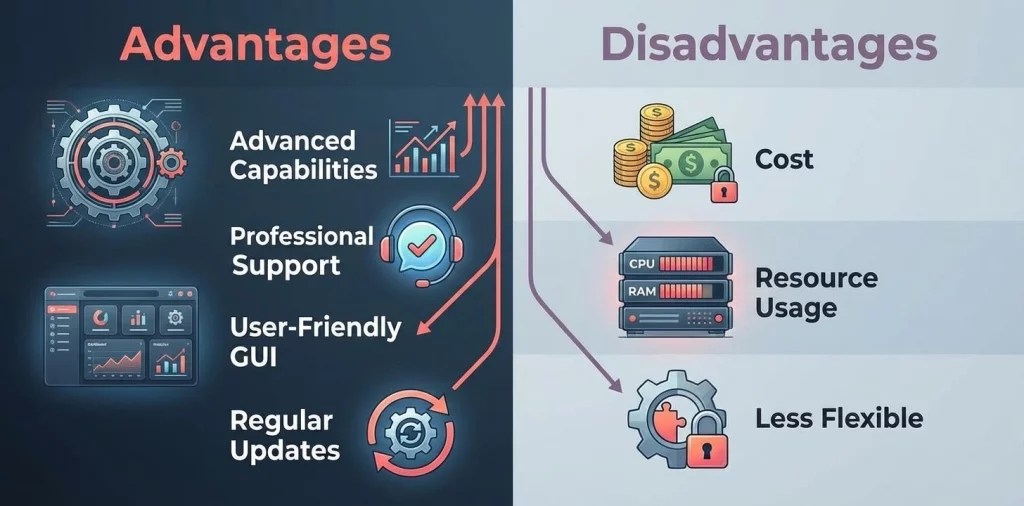
Advantages of Paid Hosting Control Panels:
- Advanced Capabilities: Features designed for better, more granular server management.
- Professional Support: Dedicated teams for troubleshooting and assistance.
- User-Friendly: Interfaces designed for ease of management, even for beginners.
- Regular Updates: Stays current with industry trends and security requirements.
Disadvantages of Paid Control Panels:
- Cost: Monthly or annual fees for licenses or subscriptions.
- Resource Usage: May require more powerful hardware due to being more resource-intensive.
- Less Flexible: Limited customization options compared to open-source alternatives.
Key Use Cases for VPS Control Panels
When managing a virtual server, having a user-friendly control panel is practically mandatory for web developers. An ideal control panel empowers users to manage the performance of their virtual servers in the best way possible by offering functional features and professional support.
1. User-Friendly Interface
A clean interface is one of the most functional components when managing a server. The UI should be designed so that users can easily search for everything with clear, concise information. This allows users to manage their virtual servers effectively, troubleshoot issues, and perform essential tasks like installing SSL certificates, managing databases, and configuring web-based applications without a headache.
2. Open Source Options
Another vital component of VPS control panels is support for open-source options. Open-source panels allow users to configure and customize their hosting services based on exact needs and preferences. Popular examples include CloudPanel, ISPConfig, and VestaCP. These free tools can be an excellent alternative for those with budget constraints or those who prefer a more hands-on approach to server management.
3. Security Features
Security is a critical aspect of managing virtual servers, and having an SSL certificate to protect sensitive information is non-negotiable. VPS control panels must provide easy access to SSL installation and management, ensuring that web developers can secure their websites effectively.
4. Integration with Hosting Services
VPS control panels should integrate seamlessly with various hosting services, allowing users to manage their virtual servers and web-based applications efficiently. This integration saves time and effort by simplifying the management process and providing a unified platform for handling your VPS and hosting services.
The Best Free VPS Control Panels
Choosing the right solution for virtual server management is crucial. A suitable and functional VPS control panel can help streamline tasks like setup, configuration, and maintenance while offering an easy-to-use interface.
1. CloudPanel
CloudPanel is an open-source server control panel with advanced features built specifically for cloud environments. It is suitable for developers and businesses that need a practical solution to manage their VPS without compromising speed or security. Its interface is designed directly with usability in mind.
Key Features of CloudPanel:
- Free and Open Source: Full access to code for personal modifications.
- High Performance: Lightweight and scalable design that doesn’t bog down server performance.
- Cloud-Optimized: Specifically designed for managing cloud-based environments.
- Multiple PHP Versions: Flexibility to work with different PHP versions simultaneously.
- One-Click SSL: Easily secure sites with Let’s Encrypt SSL certificates.
- Advanced Security: Includes encrypted traffic, restricted root access, and brute force protection.
2. Webmin
Webmin is another free, open-source control panel with a user-friendly interface that lets you manage multiple servers easily, configure DNS settings, and create virtual servers. Plus, their support team is available via their online community for any help.
Key Features of Webmin:
- Open-source control panel with no cost.
- User-friendly interface for easy server management.
- Capability to create virtual servers.
- Convenient configuration of DNS settings.
- Availability of online community support.
3. ISPConfig
ISPConfig is designed to manage multiple servers under one interface. It offers a wide range of features, including website, email, and database management, making it suitable for those who haven’t quite mastered the command line yet.
Key Features of ISPConfig:
- Open-source panel allowing management of multiple servers.
- Covers many features including website, email, and database management.
- Suitable for users who are not fluent in the command line.
4. VestaCP
VestaCP is a lightweight, open-source control panel that offers you a simple and efficient way to manage a virtual server. With support for managing both dedicated servers and VPS hosting, it allows you to handle domains, databases, email accounts, and more.
Key Features of VestaCP:
- Ability to manage domains, databases, email accounts, etc.
- Internal firewall management for increased security and control over the server.
- Ability to set limits on sending emails.
5. Ajenti
Ajenti offers a modern and intuitive interface for managing virtual servers. It includes features like file management, web server configuration, and monitoring tools that help you manage your VPS efficiently.
Key Features of Ajenti:
- Features a modern and intuitive user interface.
- Includes features like file management and web server configuration.
- Efficient monitoring tools for managing your VPS.
- Provides detailed status of load, memory, and server network.
6. aaPanel
aaPanel is another free and open-source solution that emphasizes simplicity and ease of use. Supporting multiple servers, it is suitable for managing both VPS hosting and dedicated server environments.
Key Features of aaPanel:
- Support for multi-server management.
- Suitable for both VPS and dedicated server environments.
- Includes auto-installers for popular software like WordPress and Joomla.
7. CyberPanel
Powered by OpenLiteSpeed, CyberPanel is a free control panel boasting advanced features like automatic SSL, a cache manager, and mod_security integration. Its speed and lightweight nature make it ideal for VPS management—especially if you are running a high-performance Canada VPS.
Key Features of CyberPanel:
- Powered by OpenLiteSpeed and completely free.
- Offers advanced features like automatic SSL, cache manager, and mod_security integration.
- Supports website deployment using Git.
8. Froxlor
Froxlor is a server management tool that provides an efficient way to manage your VPS. It includes domain management, email account creation, and SSL certificate management.
Key Features of Froxlor:
- Includes domain management and email account creation.
- SSL certificate management features.
- Ability to change PHP settings directly.
- Ability for resellers to create and manage accounts.
- Provides command-line scripts for performing automated tasks.
The Best Paid VPS Control Panels
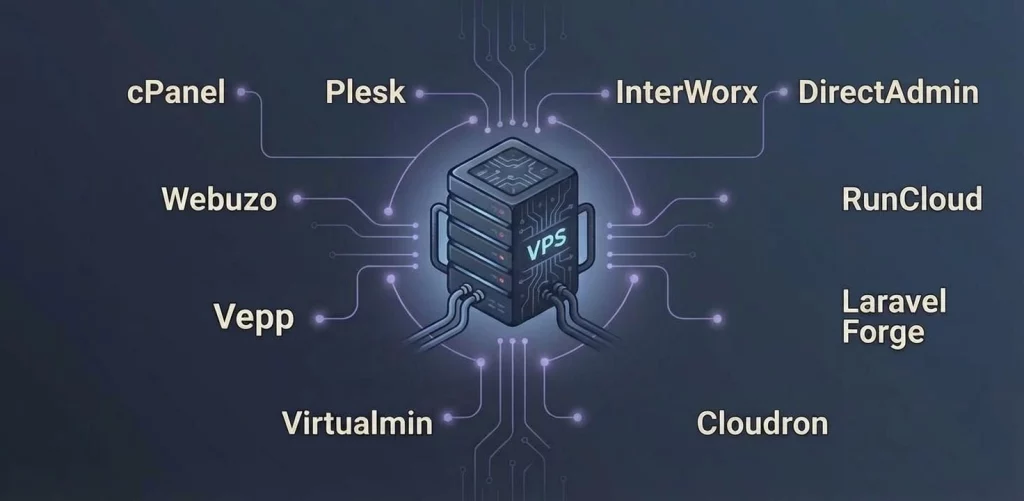
1. cPanel
cPanel is arguably the most popular paid control panel, offering advanced features along with support via a monthly or annual subscription. With its user-friendly interface and extensive functionality, it is suitable for managing both virtual and dedicated servers.
Key Features of cPanel:
- Supports multiple languages with a user-friendly interface.
- Ability to manage DNS, emails, and databases.
- Advanced software and script installation.
- Provides reliable security with IP management and Hotlink protection.
2. Plesk
Plesk is a hosting management system tailored for hosting web applications. This paid control panel offers a wide range of features including website, email, and database management. Plesk is compatible with multiple servers and is ideal for managing virtual and dedicated servers.
Key Features of Plesk:
- Multi-server management.
- Support for Docker and Git.
- Automatic SSL certificates and security updates.
- Compatibility with multiple operating systems, including Windows and several Linux distributions.
3. InterWorx
With its advanced user interface and numerous capabilities, InterWorx is an ideal choice for managing virtual and dedicated servers. This paid control panel offers advanced features and facilities for managing VPS hosting.
Key Features of InterWorx:
- Clustering capability for scaling and flexibility.
- Comprehensive email management.
- Simple DNS and database management.
- Support for both IPv4 and IPv6.
4. DirectAdmin
DirectAdmin is another efficient solution for cloud server management that you can use by purchasing a subscription. It is suitable for managing VPS and dedicated server environments with support for multiple servers and an easy interface.
Key Features of DirectAdmin:
- Support for multiple PHP versions.
- Offers efficient backup and transfer features.
- Active security updates and secure SSL keys.
5. Webuzo
Webuzo offers advanced features like one-click app installation and SSL certificate management. This paid panel significantly helps in the management of VPS and dedicated servers.
Key Features of Webuzo:
- Application installer with just one click.
- Advanced firewall and IP blocking tools.
- Email and database management.
- Offers support for PHP, Perl, and Ruby on Rails.
6. Vepp
Vepp is another paid control panel you can use to manage your cheap VPS server. Supporting multiple servers and various facilities, it is suitable for both virtual and dedicated environments.
Key Features of Vepp:
- Easy domain management.
- Automatic WordPress installation and updates.
- SSL certificate installation.
- Ability to perform regular backups and provide recovery tools.
7. RunCloud
RunCloud offers an efficient method for managing your VPS hosting stack via a SaaS interface. This paid panel includes features like server optimization, application deployment, and monitoring tools.
Key Features of RunCloud:
- Efficient server tuning and application performance.
- Integrated Git for automated deployment.
- SSL installation and renewal.
- Provides multi-server and PHP version support.
8. Laravel Forge
Laravel Forge is designed specifically for managing Laravel applications on virtual and dedicated servers, offering features like automated deployment, SSL management, and server monitoring.
Key Features of Laravel Forge:
- Suitable for deploying PHP and Laravel applications.
- Creation of Nginx configuration files.
- Automatic security updates.
- Easy to manage databases.
9. Virtualmin
Virtualmin is another server management tool offered in a free version (GPL) and a paid version (Pro). It offers features including website, email, and database management.
Key Features of Virtualmin:
- Mobile-ready user interface.
- Cloud backups to Amazon S3 and other providers.
- One-click install for scripts and software.
- High-standard email and spam protection.
10. Cloudron
Cloudron is an alternative server management tool focused on simplifying the process of deploying, managing, and securing web applications. Supporting multiple servers and various facilities, it is suitable for managing virtual and dedicated servers.
Key Features of Cloudron:
- Ease of deployment and management of web applications.
- Guarantees automatic updates and backups.
- Includes built-in email server.
- Integrated SSO with LDAP and two-factor authentication.
How to Choose the Right VPS Control Panel?
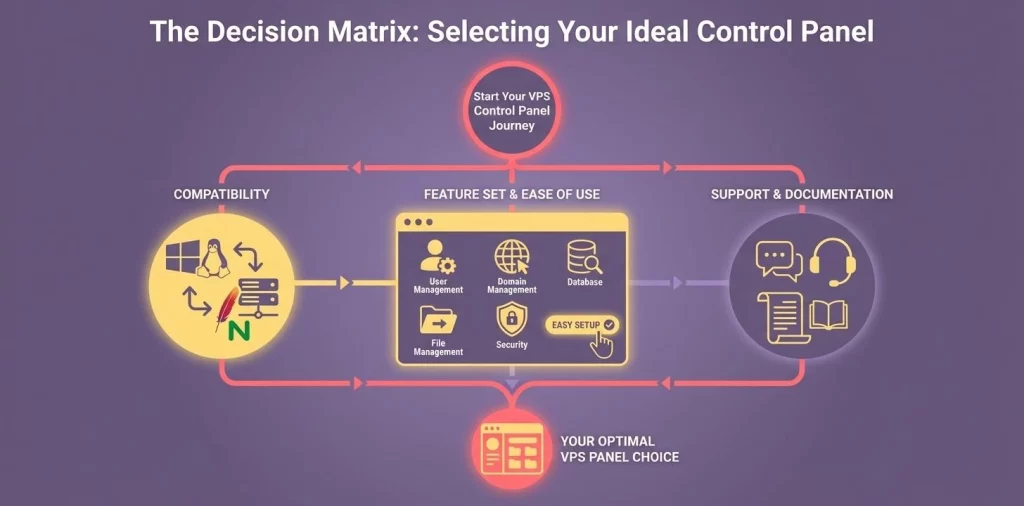
Selecting a control panel is one of the critical decisions that can impact your web server management. A VPS control panel provides a simple and user-friendly interface for managing a virtual server and its various components, including web servers, databases, and email accounts. Before selecting the best control panel for your VPS hosting, check the following criteria.
1. Compatibility with Your OS and Web Server
One of the most important factors to consider when choosing a hosting control panel is its compatibility with your desired operating system and web server. VPS control panels are usually designed to work with specific web servers (like Nginx or Apache) and Operating Systems (like CentOS, Ubuntu, or Windows). Ensure your chosen panel works seamlessly with your virtual server environment.
2. Feature Set and Ease of Use
Each free and paid control panel offers different features and capabilities, so you must select a panel that provides the functionality required for your specific server management tasks.
Some criteria for selecting a VPS control panel include:
- User Management: Ability to create, modify, and delete user accounts and set permissions.
- Domain Management: Handling domain names and DNS settings.
- Database Management: Managing databases, users, and permissions.
- File Management: Accessing and managing server files.
- Security Features: SSL certificate management, firewall configuration, and malware scanning.
In addition to the features provided, choosing a control panel with a user-friendly interface can significantly simplify your server management tasks.
3. Support and Documentation
All server management control panels come with different levels of documentation and support. You can benefit from support by choosing each one according to your needs. For example, free control panels like CloudPanel, Webmin, and VestaCP often have extensive documentation and active community forums and are considered some of the best free options.
On the other hand, paid control panels like cPanel, Plesk, and InterWorx have dedicated support teams that can assist via various channels like live chat, phone, or email.
The Bottom Line: Choosing the right VPS control panel is of very high importance for web developers. System management tools can simplify various tasks like disk space allocation and granting root access. It is best to consider cost, features, support, and the user interface for ease of use when reviewing panels. Each server management tool has different features, so reviewing each one—from open-source solutions like CloudPanel to dedicated options like cPanel—will help you make the right choice. Ultimately, the final decision depends on various factors including compatibility, ease of use, support, and your specific server management needs.
Conclusion
Choosing the right VPS control panel is of very high importance for web developers. System management tools can simplify various tasks like disk space allocation and granting root access. It is best to consider cost, features, support, and the user interface for ease of use when reviewing panels. Each server management tool has different features, so reviewing each one—from open-source solutions like CloudPanel to dedicated options like cPanel—will help you make the right choice. Ultimately, the final decision depends on various factors including compatibility, ease of use, support, and your specific server management needs.
FAQ — Frequently Asked Questions
1. Is cPanel offered for free?
No, cPanel is a paid control panel that requires you to purchase a subscription to use.
2. What does choosing a VPS control panel depend on?
Selecting the best control panel depends on your budget and your technical skill level.
3. Can we manage multiple servers seamlessly using a control panel?
Yes, many open-source free or paid control panels, like InterWorx, provide the ability to manage multiple servers.