

Welcome back to the Mixal blog. If you are gearing up to launch a new project online, figuring out your infrastructure is step number one. Here is another educational blog post on VPS, servers, and web fundamentals to help you build a reliable, growth-focused online presence.
While the terms “hosting” and “server” are often tossed around interchangeably in casual conversation, they actually have some fundamental differences. Today, we are going to break down exactly what a server is, what hosting is, and how they differ. Does your server’s operating system impact your site’s speed? Which environment is actually right for your business? Let’s dive in and clear the air!
What is a Server?
At its core, a server is a physical computer used to provide web hosting services or storage space. While they pack a lot more punch and are built with enterprise-grade hardware compared to your everyday home PC, the foundational architecture isn’t drastically different.
Related: Canadian Web Hosting
When you rent a server from a hosting provider, you become the absolute boss—the server admin. All of its resources, like the CPU, RAM, and bandwidth, are entirely at your disposal. Now that we’ve answered the basic question of what a server is, let’s look at the different flavors they come in.
Getting to Know the Types of Servers:
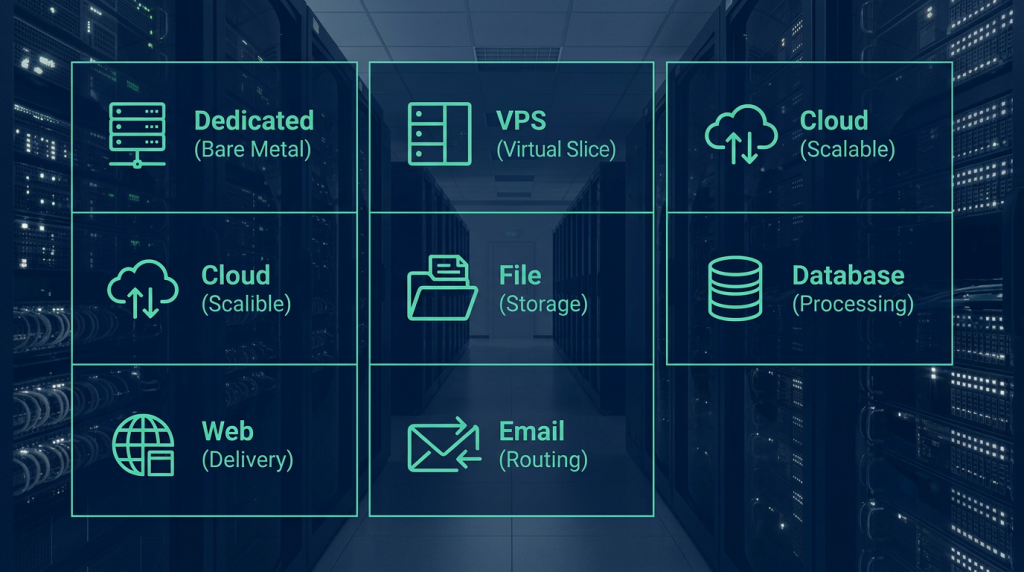
Dedicated Server: Think of this as owning the whole house. It is a powerful physical machine (often called a bare metal server) where 100% of the resources—CPU, RAM, and storage—are dedicated solely to you.
Virtual Private Server (VPS): This is a slice of a dedicated server that has been partitioned using virtualization technology. Each user gets their own independent, isolated resources. If you are looking for a sweet spot between performance and price, canadian vps hosting is usually the way to go.
Cloud Server: A server based on cloud technology where resources are highly scalable and delivered on-demand based on your real-time needs.
File Server: A server specifically configured for storing and managing files, focusing on easy access and secure sharing across a network.
Database Server: Dedicated entirely to storing, managing, and processing databases.
Email Server: A server tasked strictly with handling the sending, receiving, and routing of emails.
Web Server: A server optimized specifically for hosting websites and delivering web content to users’ browsers.
What is Hosting?
So, if that is a server, what exactly is hosting? Think of hosting like renting an apartment in a large high-rise building in downtown Toronto. It is a user account with limited access to the resources of a physical server, specifically set up to host websites.
In a standard Canada web hosting environment, server resources like the CPU, RAM, and bandwidth are shared among multiple users. Your hosting account shares the load with your “neighbors.” This is the most straightforward, entry-level type of hosting service, making it perfect for low-traffic websites that don’t demand massive processing power or huge bandwidth allocations.
Introducing the Types of Hosting:
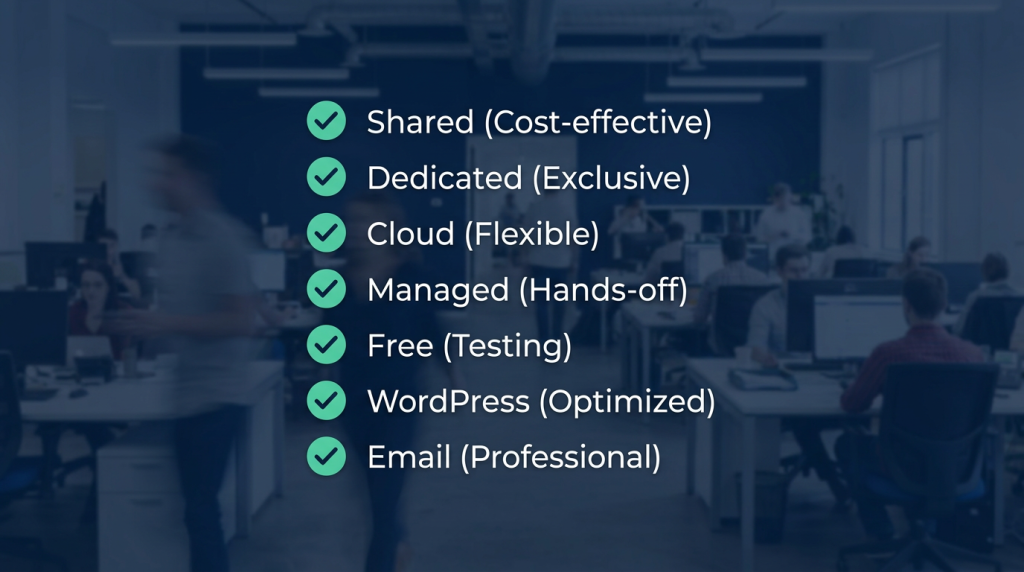
Shared Hosting: Server resources are split among many users. It is highly cost-effective and perfect for small sites with light traffic.
Dedicated Host: An entire server dedicated to one user’s hosting environment, ideal for massive sites with heavy traffic.
Cloud Host: Powered by cloud tech, offering flexibility and seamless scalability for fluctuating traffic spikes.
Managed Hosting: The provider takes care of all the heavy lifting—server management, updates, and security. It is perfect for users who want to focus on their business, not IT.
Free Hosting: Zero-cost services with heavy limitations, mostly suitable for tiny test projects or student portfolios.
WordPress Hosting: An environment specifically optimized for WordPress sites, offering tailored features, enhanced security, and top-tier performance for the platform.
Email Hosting: A service dedicated entirely to managing and hosting professional email accounts. (If you want your business to look professional, investing in proper email hosting canada is a must).
Read More:
- What is Web Hosting?
- What is Shared Hosting?
- What is Dedicated Hosting?
- What is Cloud Hosting?
- What is WordPress Hosting?
What is the Difference Between Hosting and a Server?
The most critical difference between the two comes down to your level of access. When you buy a server (whether it’s a dedicated rig, a cloud instance, or a VPS), you are handed the keys to the kingdom. You get full root or admin access to all the server’s resources to configure exactly as you please.
With standard hosting, however, you only receive limited user access. You manage your slice of the pie through a visual dashboard (like cPanel or DirectAdmin), which allows you to do things like install a Content Management System (CMS) or upload your website files, but you can’t tweak the underlying server environment.
1. The Difference in Resource Access
When you lease a server, all the hardware—CPU, RAM, storage drives, and bandwidth—is entirely yours. In a standard hosting setup, those resources are pooled and shared. Here is a quick breakdown of how resources are allocated across different services:
| Type of Service | CPU | RAM | Storage | Bandwidth | Other Resources |
| Standard Hosting | Shared | Shared | Shared | Shared | Shared |
| Dedicated Server | Dedicated | Dedicated | Dedicated | Dedicated | Dedicated |
| Virtual Server (VPS) | Shared* | Dedicated | Dedicated | Dedicated | Dedicated |
| Cloud Server | Shared* | Dedicated | Dedicated | Dedicated | Dedicated |
*Note: In VPS and Cloud environments, the physical CPU is shared among virtual machines, but a specific allocation of processing power is virtually dedicated to you.
2. Operating Systems and Control Panels
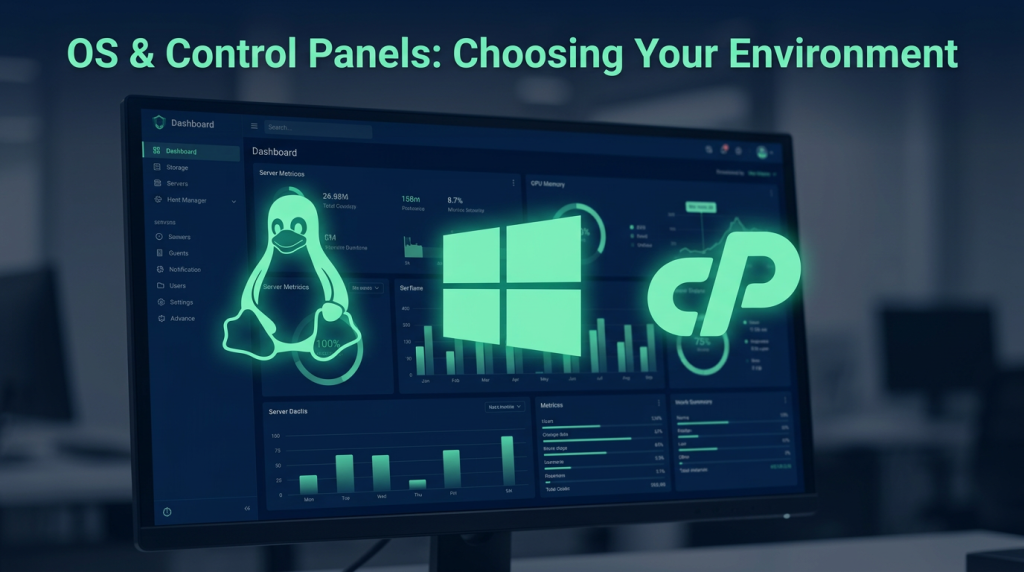
At a foundational level, both hosting and servers rely on an Operating System (OS). With a server, the power is in your hands: you can install a vps linux server environment or a windows vps server depending on your stack. Standard hosting, on the other hand, comes pre-packaged with an OS chosen by the provider (usually Linux or Windows).
The same goes for control panels. On a server, you can install whatever panel you prefer. Standard hosting usually locks you into a pre-determined panel. The most common ones you’ll see are:
cPanel: Exclusively for Linux. (If you prefer this, setting up a vps cpanel server is a very popular route).
DirectAdmin: Also exclusively for Linux.
Plesk: Versatile; works on both Linux (like Ubuntu/Debian) and Windows.
On a server, you can wipe the OS and start fresh anytime via your provider’s dashboard. On shared hosting, you are stuck with what you bought because of your limited access.
3. Security Differences
Imagine renting a detached house versus renting a room in a shared house. With a server, you have an isolated, dedicated computer. You control the security protocols, and your resources are walled off.
With shared hosting, you are sharing the neighborhood. This shared environment can occasionally pose a security risk; if a neighboring site on the same server is compromised by a hacker due to poor coding, it could potentially impact the server’s overall performance or put other sites at risk. Because of strict resource isolation and admin-level control, servers inherently offer a much higher ceiling for security.

4. Use Case Differences
Servers are the Swiss Army knives of the IT world. They can be used for hosting complex web apps, acting as proxies between clients and the web, running heavy databases, managing enterprise backups, hosting a multiplayer game server, or executing high-speed trades in financial markets.
Standard hosting is pretty much a one-trick pony: it is designed to host websites. Furthermore, a single server can comfortably host hundreds of websites, whereas a standard hosting account is usually optimized to run just one or a handful of sites.
5. Connection Methods
You connect to a standard hosting account purely over the internet via a web browser. You just log into your control panel (e.g., https://yourdomain.com:2083 for cPanel).
Servers, however, can be accessed over the internet or a local area network (LAN) using direct, secure protocols that give you command-line or desktop access:
Linux Servers: Accessed via SSH (Secure Shell) using root credentials and tools like PuTTY or your native terminal.
Windows Servers: Accessed via RDP (Remote Desktop Protocol) using admin credentials, giving you a visual desktop interface.

Hosting vs. Server: Which is Right for You?
If you are launching a simple portfolio, a personal blog, or a small business site with light traffic, standard small business hosting is more than enough to get you off the ground.
However, if you are building a custom web application, managing a massive database, setting up a file repository, or running a mission-critical e-commerce site that expects heavy Canadian and global traffic, a server is the undeniable choice.
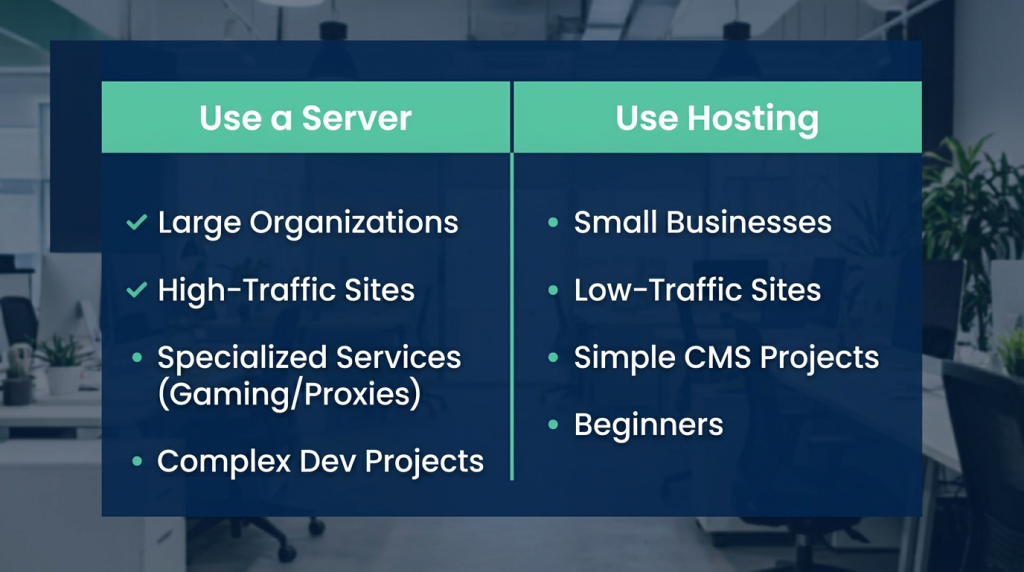
Who should use a Server?
Large Organizations: Enterprises that require strict security compliance and total environmental control.
High-Traffic Sites: Websites pulling in thousands of daily visitors that need guaranteed, dedicated resources.
Specialized Services: Anyone needing to run proxies, game servers, or heavy database processing.
Complex Projects: Developers who need custom software installations and root access.
Who should use Hosting?
Small Businesses: Local shops, personal blogs, and simple online storefronts.
Low-Traffic Sites: Projects that don’t need massive bandwidth or processing power.
Simple Projects: Sites built on standard CMS platforms (like WordPress) that don’t require custom server configurations.
Beginners: Users without a deep technical background who want an easy, plug-and-play control panel.
Wrapping Up
While “hosting” and “server” are often used interchangeably by mistake, they represent two very different approaches to web infrastructure. Standard hosting gives you an easy-to-use, shared environment that is perfect for smaller websites. A server, on the other hand, provides the raw power, dedicated resources, and root access required for complex, high-traffic, or specialized digital projects.
By understanding these differences, you can choose the exact right foundation for your business to thrive. At Mixal, our mission is to deliver exceptional, growth-focused solutions tailored to your needs. Whether you are just starting out and need to buy domain name canada, or you are ready to scale up with our robust VPS and dedicated server options, we are here to empower your digital journey every step of the way.
Frequently Asked Questions
1. What is the difference in cost between buying hosting and a server?
Standard hosting is generally much more affordable than a dedicated server because the underlying hardware costs are split among many users. Purchasing or leasing a server is more of an investment, as you are paying for exclusive access to the hardware and its full capabilities, making it the better choice for scaling businesses.
2. How does hosting bandwidth affect site performance, and can I monitor it?
Bandwidth determines the volume of data that can be transferred between your website and your visitors over a given time. If you hit your bandwidth limit, your site might slow down or become temporarily unavailable. Fortunately, most standard hosting environments allow you to easily monitor your real-time bandwidth consumption directly from your control panel, helping you keep your site stable and fast.