

Welcome to another educational blog post on the core fundamentals of web hosting by Mixal.
In the digital world, “hosting” essentially means keeping a website alive and active on the World Wide Web (WWW). The ultimate goal is to ensure that users anywhere on the globe can access your files online and view your website seamlessly through their browsers. Therefore, every single website you interact with on the internet relies on some form of hosting service.
But what exactly is hosting, and what are the different types available? In today’s deep dive, we are going to answer these exact questions. Grab a seat, and let’s get into it!
The word “host” literally means to provide space and resources for a guest, and in the tech world, we use “hosting” to describe the service of accommodating websites. When we want to launch a website on the World Wide Web and make it accessible to the public, we actually need to utilize two distinct types of hosting:
- Domain Hosting
- Web Hosting
These are specialized services provided by hosting companies. So, when we casually say “hosting,” we are usually referring to the companies that provide these infrastructure services. Let’s break down exactly what domain and web hosting entail.
Also Read:
What Web Hosting Means
Once you have selected and secured your domain, it’s time to look at web hosting. This is the service that actually places your website’s files onto the global network. To do this, you pay a subscription to select a web hosting plan from a provider. By doing so, a specific portion of that company’s server resources—including RAM, hard drive storage, and bandwidth—is allocated exclusively to your website.
This is where top-tier Canada web hosting makes a massive difference. After purchasing a plan, you log into your web hosting control panel and upload your website files directly to the server. (It’s worth noting that some premium hosting companies, like Mixal, can handle the configuration and setup process for you!). In simple terms, when you request that your website be made available to users on the WWW, the hosting company rents you a slice of their server’s storage space. As long as your hosting plan is active, your files live on this server and execute whenever a visitor drops by.
What is a Web Server?
We’ve mentioned “servers” a few times now. In the simplest terms, a server is an incredibly powerful computer that is permanently turned on and connected to the internet. It boasts massive storage capacity and serious processing muscle. When you place your website’s files—like media, code, and databases—onto this server, it waits for a user to request access to your site. The moment a user types your URL into their browser, a request is sent to the server. The server then responds by loading and delivering the website to the user’s screen. Every hosting company operates its own fleet of servers, renting out space so your digital storefront is always open.
Read More: Hosting vs. Server

How Do a Domain and Server Connect?
As we’ve established, to run a public website, you need both domain hosting and web hosting, followed by uploading your files to the web host’s server. But how do these two separate elements actually talk to each other so that typing a name loads the right files?
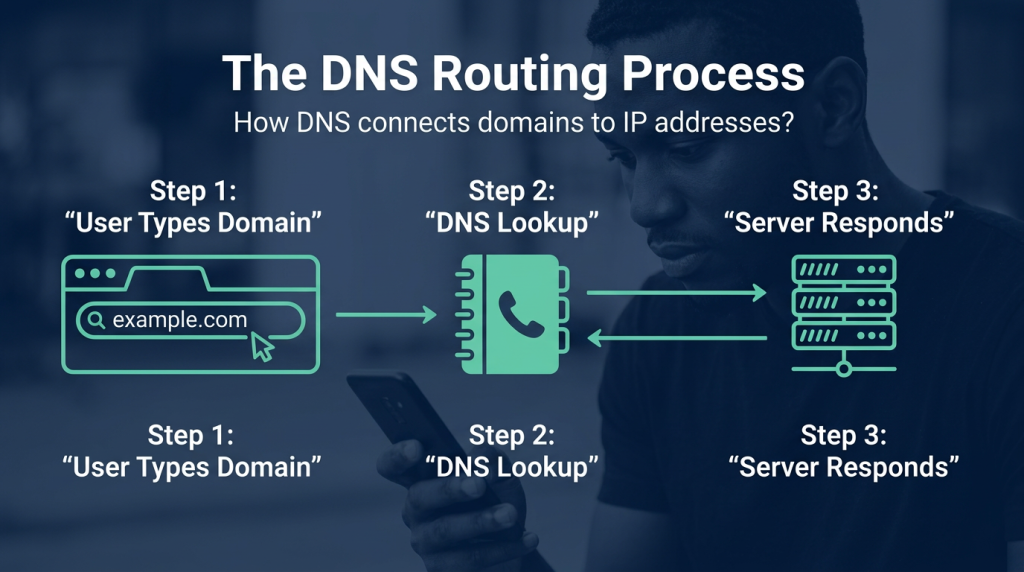
The answer is elegantly simple: DNS (Domain Name System).
When a user types your domain (example.com) into their browser, that domain is routed to a massive database called a DNS Server. This database acts like the internet’s phonebook, looking up the specific IP address associated with your domain. This IP is the exact numerical address of the server where your files live. The DNS seamlessly translates the human-readable domain name into an IP address, directing the user straight to the server hosting your website.
Mixal Pro Tip: If you purchase both your domain and web hosting from the same company, the provider typically handles this connection for you automatically. If you buy them from two different companies, you simply need to copy the DNS records (nameservers) provided by your web host and paste them into your domain host’s dashboard.
Read More: What is Domain?
Types of Web Hosting
Now we know that the server space allocated to you is where your files are stored and executed. Naturally, the more space and resources you have, the faster and smoother your site will run. Hosting services are generally categorized based on two main variables: the amount of resources allocated to you, and whether that server space is exclusively yours or shared with others.
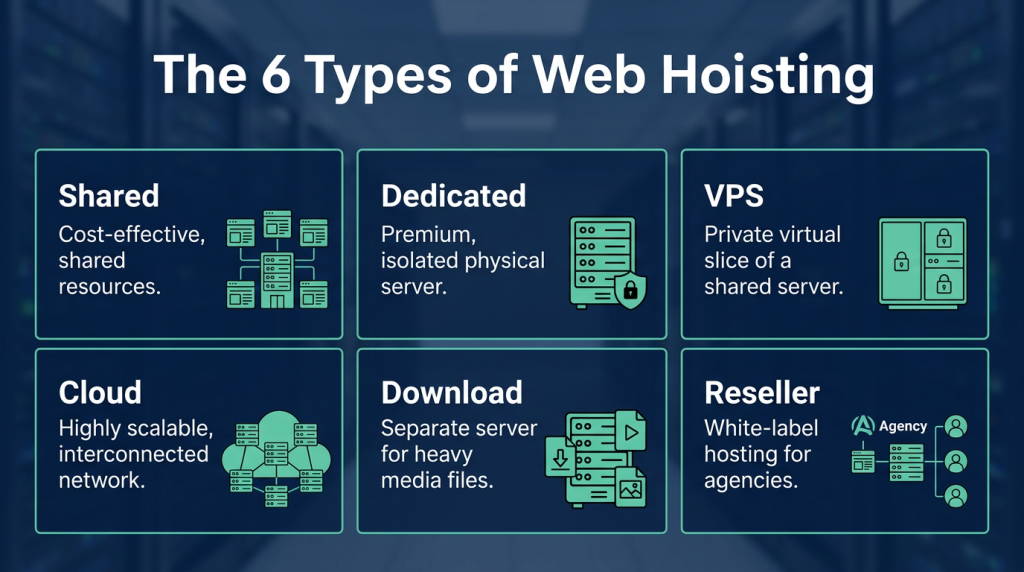
Based on this, hosting services are divided into the following types:
1. Shared Hosting
If the server space isn’t exclusively yours and other websites store their files on the exact same server, you are using shared hosting. Setting up this type of hosting is incredibly fast and highly cost-effective. However, because you are sharing resources with others, it’s really only suitable for small to medium-sized websites that don’t expect massive surges in traffic. If you’re looking for cheap web hosting to get a basic blog off the ground, this is your starting point.
Read More: What is Shared Hosting?
2. Dedicated Hosting
As the name implies, dedicated hosting provides you with an entire physical server strictly for your website’s files. As you might guess, this premium exclusivity makes it significantly more expensive than other options. If you run a massive enterprise site, experience heavy traffic, or require absolute control over your server environment, a Canadian dedicated server solution is a phenomenal choice.
Read More: What is Dedicated Hosting?
3. VPS (Virtual Private Server)
In a VPS setup, virtualization technology is used to carve out a private, dedicated environment within a shared physical server. It essentially acts as a dedicated server for your website, even though multiple virtual machines exist on the same hardware. This makes VPS the perfect bridge between shared and dedicated hosting. The major difference between VPS and shared hosting is that VPS clients get full root access to configure their server environment, making it function much like a dedicated setup. For small to medium businesses that need high flexibility on a budget, Canadian VPS hosting is an absolute game-changer. Whether you need a windows vps server for specific enterprise apps or a Linux environment, a VPS gives you that freedom.
Read More: What is VPS?
4. Cloud Hosting
Cloud hosting is currently one of the most popular and modern hosting solutions available. Instead of relying on a single machine, your website is hosted on a vast, interconnected network of physical and virtual cloud servers. This clustered approach creates an incredibly robust hosting environment that can effortlessly support massive, resource-heavy websites. If your site hosts a ton of heavy media files or experiences unpredictable traffic spikes, cloud hosting is likely your best bet, though it does come at a higher price point.
5. Download Hosting
Some websites exist primarily to distribute massive amounts of files—think educational platforms or music download sites. Smart webmasters will often store these heavy downloadable files on a completely separate “download host” rather than their main website host. When a user clicks download, the request is routed to this secondary server. The biggest advantage here is site speed; because the heavy files aren’t bogging down the main server, your actual website pages load lightning fast.
Read More: What is Cloud Hosting?
6. Reseller Hosting
A “reseller” is an agency or individual that sells the products or services of another brand. Reseller hosting refers to companies that act as representatives, offering the hosting infrastructure of a larger parent company to their own clients. Many local hosting agencies don’t actually own their own data centres; instead, they act as a hosting reseller for massive global infrastructure providers.
What Features Does Hosting Provide?
When you invest in a hosting plan, you aren’t just buying empty server space. You are gaining access to a suite of essential services. Here are some of the key features you should expect:
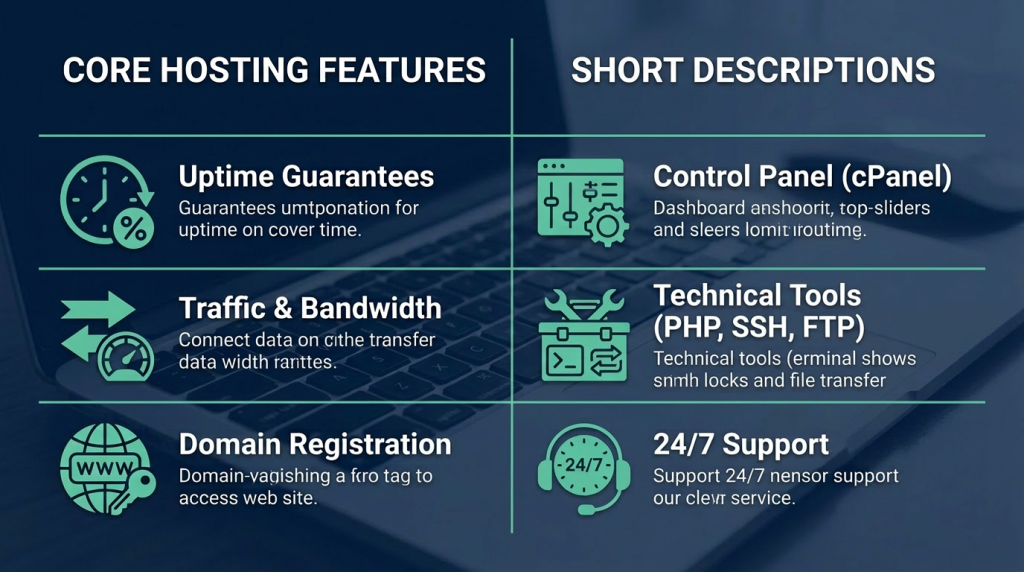
1. Uptime
Uptime (or reliability) refers to the guaranteed percentage of time your hosting service remains active and accessible. For instance, many top-tier providers offer a 99.9% uptime guarantee, meaning your site will rarely, if ever, go offline. Naturally, the higher the uptime, the less you have to worry about losing visitors to a downed server.
2. Traffic and Bandwidth
When reviewing hosting plans, you’ll always see limits on traffic and bandwidth. Many modern plans advertise “unlimited bandwidth,” meaning your site won’t be shut down if you get a sudden viral spike in visitors. However, it’s always wise to read the fine print and check reviews to see how a company actually handles massive traffic surges.
3. Domain Registration
As mentioned earlier, hosting companies often act as domain registrars. You simply type in your desired name, and if it’s available, you pay the fee and take ownership. As long as your subscription is active, that digital real estate is yours.
4. Control Panel
A control panel is a user-friendly dashboard that allows you to manage the intricate details of your hosting service without needing to be a command-line wizard. Managing email addresses, changing PHP versions, setting up redirects, and editing files are all done here. The two industry standards are cPanel and DirectAdmin. They offer nearly identical features but have different user interfaces. If you prefer the industry classic, look for cPanel hosting canada plans.
5. PHP, .htaccess, SSH, MySQL, FTP, and more
If your web setup requires installing a new version of PHP or Perl, your hosting environment facilitates this. Need to tweak your .htaccess file to set up custom error pages or prevent bandwidth theft? You can do that right from your host. Providers also grant SSH access for secure, direct server management and database maintenance (like MySQL), which is crucial for running Content Management Systems (CMS). Finally, FTP (File Transfer Protocol) allows you to securely transfer files between your local computer and your web server.
6. Technical Support
Sometimes servers hiccup, pages break, or you just have a complex question about scaling your infrastructure. In any scenario, your hosting provider must have a rock-solid technical support team so you aren’t left stranded. When choosing a host, always investigate their support channels: Are they available 24/7? Do they offer live chat, ticketing, and phone support?
What to Consider When Choosing a Host?
Beyond the technical features we just discussed, you should always evaluate a hosting provider based on a few critical business metrics:
Cost-effectiveness: Is the pricing transparent and fair for the resources provided?
Scalability and Flexibility: Can you easily upgrade your plan as your business grows?
Support Quality: Are their technicians knowledgeable and responsive?
Reputation: What do real users say about them in reviews?
Sometimes, incredibly cheap hosting means the company is cutting corners on security or support. It is often a smart strategy to test a service on a short-term monthly plan before committing to a long-term contract.
Conclusion
Securing domain and web hosting are the absolute prerequisites for bringing your website to the public internet. Figuring out exactly which web hosting service is right for you depends entirely on your website’s unique needs. If you are just launching a brand-new project and have a tight budget, starting with shared hosting is a perfectly valid choice—you can always migrate to a more robust plan later.
Hosting provides the secure, always-on environment needed to store your data and serve it to users via your web address. Without it, your website would just be a collection of files sitting on your personal laptop, invisible to the world.
At Mixal, we are passionate about empowering businesses to scale without limits. Whether you need reliable email hosting Canada to keep your team connected, or you are ready to upgrade to a lightning-fast Canadian VPS hosting environment, we have the infrastructure to help you exceed your goals.
Frequently Asked Questions
1. What is hosting?
Hosting refers to the service (and the companies providing it) that keeps a website active on the internet. To make a website publicly accessible, you need two types of hosting: domain hosting and web hosting.
2. What is domain hosting?
This service registers and hosts the specific web address you choose (like yourcompany.ca). As long as you pay the subscription fee, that domain is exclusively yours to use for your website.
3. What is web hosting?
Web hosting provides you with dedicated space on a physical server to upload and store your website’s files. Once your domain is connected to this server, anyone who types your domain into their browser will be served your website files.
4. What are the different types of web hosting?
The most common categories include:
Shared Hosting
Dedicated Hosting
VPS Hosting
Cloud Hosting
Reseller Hosting
5. Which type of web hosting is the cheapest?
Shared hosting is generally the most affordable option because the costs and resources of a single physical server are split among many different websites.
6. What is the difference between cloud hosting and dedicated hosting?
Cloud hosting utilizes hardware virtualization to pull resources from a vast network of connected servers, offering incredible scalability. Dedicated hosting, on the other hand, gives you an entire physical server (CPU, RAM, and storage) completely isolated for your website alone, which can offer unparalleled security and raw performance for specific workloads.