

Welcome to another educational blog post from Mixal on web hosting fundamentals.
Shared hosting is essentially a web hosting service where the resources of a single physical server—think disk space, RAM, and bandwidth—are split among multiple websites. Because it’s incredibly cost-effective and user-friendly, it’s the go-to choice for small websites, personal blogs, and startups that don’t need massive server resources or root access, but just want a quick, painless way to get their site online. In this guide, we’ll break down exactly how it works, its pros and cons, the different types available, and answer some of your burning questions. If you’re looking for reliable Canada web hosting, Mixal has you covered, but first, let’s make sure you understand the basics.
Read More: what is web hosting?
Before we get too deep into the weeds, you might want to brush up on the absolute basics of hosting. But simply put, shared hosting is a setup where one physical server’s resources (CPU, RAM, storage, and bandwidth) are shared among various different websites.
To paint a picture: imagine a massive apartment building (the server) with shared amenities like plumbing and electricity (the resources). Multiple families (the websites) live in their own separate units (each website’s allocated space) within that building, all utilizing the same core utilities. This shared living arrangement drastically cuts down the rent for everyone involved because the costs of building maintenance and management are divided among all the tenants. However, just like in an apartment building, if one neighbor decides to throw a massive party and hogs all the hot water, it might just affect your morning shower. The performance of your website can sometimes be impacted by the resource consumption of other sites on that same server. This fundamental difference in resource allocation is often what sparks the debate between shared setups and more robust solutions like a Canadian Dedicated Server .
How Does Shared Hosting Work?
Shared hosting operates on the principle of partitioning a single physical server’s resources among multiple websites. Each site is allotted a specific slice of disk space, RAM, and bandwidth from this communal pool.
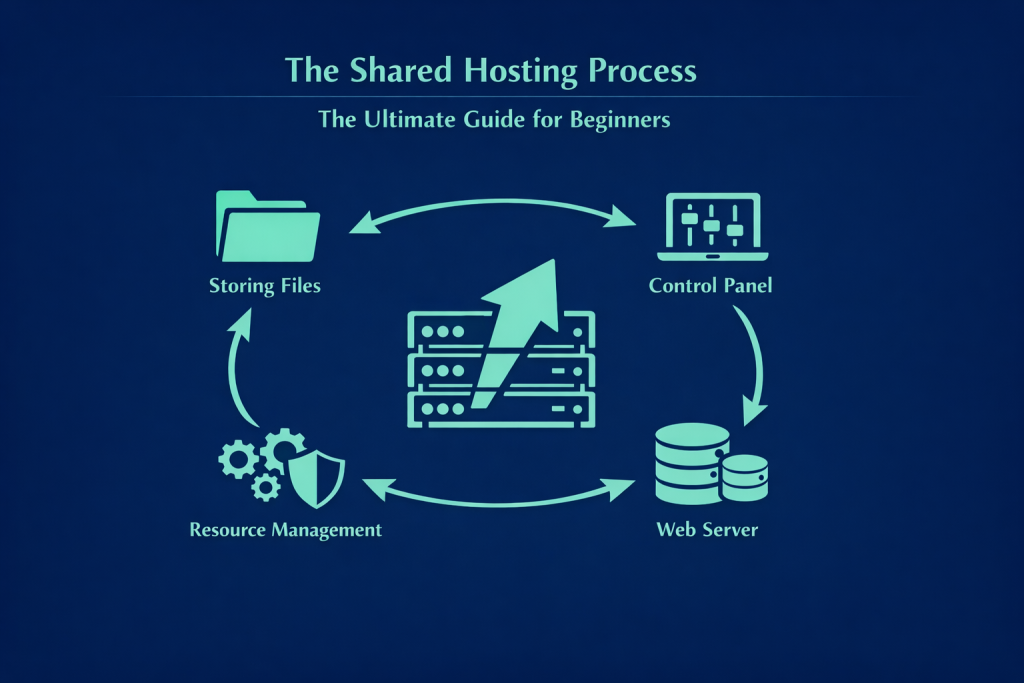
Here is the general breakdown of the process:
Storing Files: All your website’s files—your code, images, databases, and everything else—are stored on the shared server’s hard drive.
Control Panel: Each user gets access to their hosting account via a control panel, such as cPanel or DirectAdmin. This dashboard provides all the tools you need to manage your files, databases, emails, and domain settings, without requiring you to have a PhD in server administration.
Web Server: When a user types your website’s address into their browser, that request is routed to the shared server. The web server software installed on that machine (typically Apache HTTP Server or Nginx) catches the request, locates your specific website files, and serves them back across the internet to the user’s browser so your site loads.
Resource Management: The hosting provider takes on the heavy lifting of managing and optimizing the server, installing critical updates, locking down security, and ensuring that resources are distributed fairly among all the websites on board.
Who is Shared Hosting For?
Who actually needs to use shared hosting? It is the absolute best option for users and websites that have modest resource requirements and are hunting for a budget-friendly, highly accessible solution. It’s particularly ideal for:
Personal Websites and Blogs: If you’re launching a blog to share your thoughts, travel experiences, or just want a simple portfolio to showcase your work, shared hosting provides ample resources at a fraction of the cost. These types of sites usually don’t experience massive traffic spikes or require heavy processing power.
Small Businesses and Startups: Companies that are just getting off the ground and working with a tight budget can establish a solid online presence with shared hosting. It allows them to showcase their products or services to clients affordably, without stressing over the technical complexities of server management. If you also need to buy Canadian domain name to get started, most shared plans make tying the two together a breeze.
Informational and Small Corporate Sites: Websites designed primarily to display static information, contact details, or company history—sites that aren’t anticipating huge waves of traffic or complex backend processing—run perfectly fine on a shared environment.
Students and Developers in Training: For folks who want to practice building websites, learn how to code, or set up test environments, shared hosting offers a fantastic, low-risk sandbox for hands-on learning.
In short, it’s a stellar choice for anyone prioritizing simplicity, affordability, and adequate performance for a site with moderate traffic and resource needs.
Read More: What is WordPress Hosting?

The Pros and Cons of Shared Hosting
Reviewing the advantages and disadvantages is always a smart move before making a commitment.
What are the Advantages?
Because of its unique structure, shared hosting brings several major benefits to the table, especially for small to medium-sized sites:
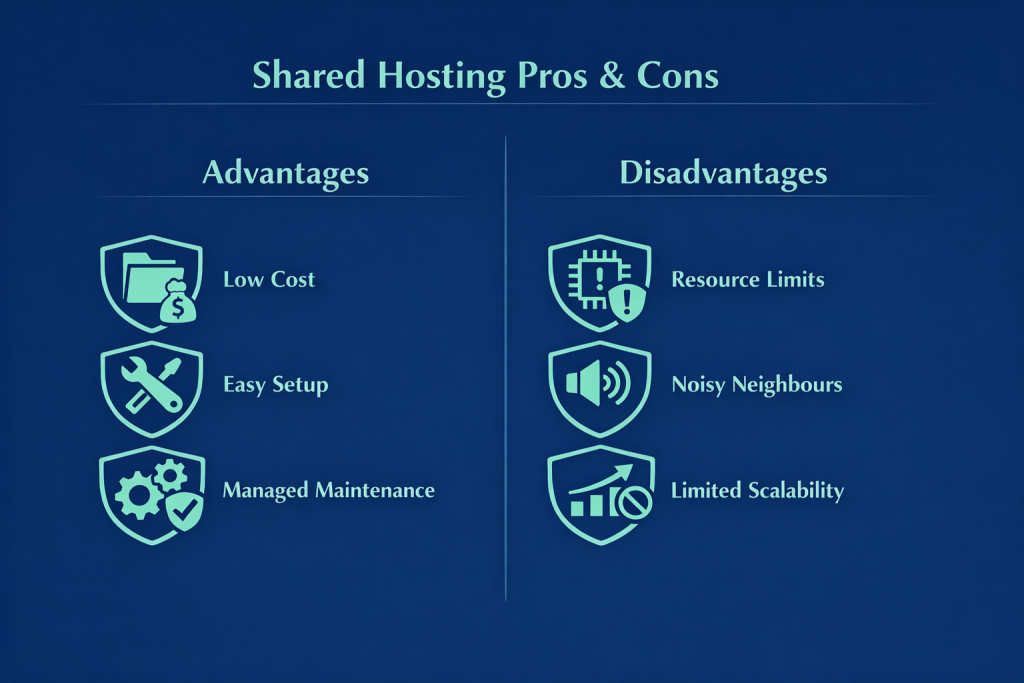
Low Cost: This is the undisputed biggest perk. Since the server’s resources are split among many users, the hardware and maintenance costs are heavily subsidized. The result? The final price tag for cheap web hosting is drastically lower for everyone.
Ease of Setup and Management: This environment is tailor-made for users who aren’t server gurus. The setup process is incredibly straightforward, allowing you to get your site live quickly with just a few clicks.
User-Friendly Control Panels: Most providers equip you with graphical, intuitive control panels. A solid cpanel hosting in canada plan gives you the tools to manage files, databases, emails, install Content Management Systems (CMS) like WordPress, and tweak domain settings without ever touching a command line.
Maintenance and Support Handled for You: One of the biggest headaches of web hosting is server maintenance and security. With shared hosting, the provider shoulders all the responsibility for server updates, bug fixes, security protocols, and technical support. This frees you up to focus entirely on your content and growing your business.
Perfect for Small and New Sites: For personal pages, portfolios, and small businesses with low initial traffic, it provides all the necessary horsepower at the lowest possible price point.
What are the Disadvantages?
While the benefits are compelling, there are limitations you need to be aware of:
Resource Limits: Because you are sharing CPU, RAM, and bandwidth, your site only has access to a finite slice of the pie. This limitation can lead to sluggish load times during traffic spikes or when running resource-heavy scripts.
The “Noisy Neighbour” Effect: This is arguably the biggest drawback. If another website on your server suddenly consumes a massive amount of resources (due to a viral post, poorly optimized code, or a DDoS attack), it can drag down the speed and performance of every other site on that server, including yours.
Less Server Control: You do not get root access or total control over the server environment. The hosting provider dictates the configuration, meaning you can’t install custom software, tweak advanced server settings, or fully customize the environment to niche specifications.
Potential Security Risks: While providers work hard to secure shared servers, the shared nature means there’s always a slight risk. A severe vulnerability in a neighbour’s website could theoretically compromise the entire server.
Limited Scalability: It isn’t built for rapid, massive growth. If your site suddenly explodes in popularity and traffic, you’ll likely outgrow your shared plan and need to migrate to something beefier, like a canadian vps hosting plan or a dedicated setup.
Types of Shared Hosting
You can categorize shared hosting based on a few different criteria, the most common being the server’s operating system and the type of control panel provided. Understanding these helps you pick a plan that meshes perfectly with your technical needs.
1. By Server Operating System:
The OS is the foundation of the server and dictates what kind of software your hosting can run.
Linux Hosting:
Features: This is the most common and popular flavour of shared hosting, running on distributions like CentOS, Ubuntu, or Debian.
Compatibility: It’s the absolute best choice for sites built on PHP (like WordPress, Joomla, Drupal) and MySQL/MariaDB databases. It also plays nicely with Python, Perl, and Ruby. Superb WordPress compatibility is a major selling point here.
Pros: Generally considered more affordable, highly stable, and very secure. It supports a massive array of CMS platforms.
Best For: The vast majority of personal sites, blogs, and small-to-medium online stores.
Windows Hosting:
Features: Runs on Microsoft’s Windows Server OS.
Compatibility: The go-to for websites developed using Microsoft technologies like ASP.NET, C#, SQL Server (MSSQL), and Visual Basic.
Pros: Ideal for developers who are already deeply entrenched in the Microsoft ecosystem.
Best For: Less common overall, primarily used for sites with specific Microsoft-centric requirements.
Conclusion on OS: The main difference boils down to the underlying technologies they support. Linux is the standard, stable, and budget-friendly choice for PHP/MySQL sites, while Windows is necessary if you rely on ASP.NET and SQL Server. Your choice depends entirely on the coding language and database your site uses.
2. By Control Panel:
The control panel is your graphical interface for managing your hosting environment.
cPanel Hosting: An industry favourite, cPanel is incredibly user-friendly and predominantly found on Linux servers. It covers all the bases for beginners and pros alike, offering file management, database tools, email setup, easy CMS installation, backups, and analytics.
DirectAdmin Hosting: A lightweight, streamlined alternative for Linux. It offers similar core functionalities to cPanel but consumes fewer server resources and often comes with a lower licence fee. It’s great for users who want high efficiency without the clutter.
Plesk Hosting: A highly flexible and powerful panel that works on both Windows and Linux. It offers comprehensive tools for managing sites, emails, apps, and security. It’s particularly popular among developers and system admins managing mixed environments, and it’s the primary choice for Windows hosting.

Shared Hosting vs. Other Hosting Services
To make the best choice, you need to understand how shared hosting stacks up against the alternatives.
Shared Hosting vs. VPS (Virtual Private Server)
Both share a single physical server, but they handle resource allocation and access very differently.
Shared: Resources (CPU, RAM, storage) are pooled and shared among all sites. You have very limited control over the server environment.
VPS: Each user gets an isolated, virtualized slice of the server with dedicated, guaranteed resources. This grants you root access to install custom software, much like having a mini dedicated server. A dedicated vps or standard VPS is pricier than shared hosting but offers significantly better performance and flexibility.
Read More: What is VPS?
Shared Hosting vs. Dedicated Hosting
In a shared environment, one server’s resources are split among many. In dedicated hosting, you get an entire physical server—100% of its resources—all to yourself. This fundamental difference means shared hosting is vastly cheaper and easier to manage, whereas a dedicated server provides unparalleled performance, security, and absolute control.
Read More:
Shared Hosting vs. Cloud Hosting
Cloud hosting takes a totally different architectural approach.
Shared: Your site lives on one single physical server with shared resources.
Cloud: Your site is hosted on a clustered network of interconnected virtual servers. Resources scale dynamically as needed, and because the workload is distributed, it offers incredibly high uptime and stability. You typically pay for exactly what you use. It’s brilliant for sites with unpredictable traffic, but it can be more complex and costly.
Read More:
Comparison Overview:
| Feature | Shared Hosting | VPS | Cloud Hosting | Dedicated Server |
| Cost | Very Low | Moderate | Moderate to High | Very High |
| Performance | Low to Moderate | Moderate to High | High (Scalable) | Very High |
| Control | Very Limited | High (Root Access) | High (Flexible) | Complete |
| Scalability | Very Limited | Limited | High & Easy | High (Requires Hardware) |
| Security | Moderate | Good (Isolated) | Very Good | Excellent |
| Tech Skill Needed | Very Low | Moderate to High | Moderate | High |
| Best For | Blogs, small biz | Growing sites, custom setups | Variable traffic, rapid growth | Enterprise, massive traffic |
Shared Hosting Buying Guide
When you’re ready to pull the trigger on a shared hosting plan, keep these crucial factors in mind to ensure you get the best bang for your buck:
Resource Allocation: Estimate your site’s needs (file sizes, expected traffic, media content) and pick a plan with adequate disk space, bandwidth, RAM, and CPU. Ensure there’s a clear path to upgrade later.
Operating System: Match the OS (Linux or Windows) to your site’s underlying technology (PHP vs. ASP.NET).
Control Panel: Choose an interface you feel comfortable with. cPanel is usually the safest bet for ease of use.
Server Location (Canadian vs. International Data Centres): Server location matters for latency. If your target audience is primarily in Canada, choosing a provider with Canadian data centres ensures faster load times and better local SEO for your visitors. If your audience is strictly global, an international data centre with a strong CDN might suffice, but having your data on home soil often provides a noticeable speed bump for local traffic.
Technical Support: Look for a provider offering 24/7, highly responsive support from knowledgeable techs. When your site goes down at 2 AM, you’ll be glad you have this.
Security Measures: Verify what protections are in place—firewalls, free SSL certificates, and active malware scanning are non-negotiable.
Regular Backups: Automated, regular backups (daily or weekly) with easy restoration options are essential for peace of mind.
Uptime Guarantee: You want your site online. Look for providers guaranteeing at least 99.9% uptime.
Pricing and Plans: Don’t just sort by the lowest price. Evaluate the value—look at the features included, renewal rates, and limits on things like add-on domains or databases.
Reputation and Reviews: Do your homework. Read reviews from other users to gauge the provider’s actual reliability and customer service quality.
Read More: How To Choose The Best Web Hosting?

Features and Capabilities of Shared Hosting
Despite its simplicity, a good shared hosting package comes loaded with standard features that are more than enough to run the majority of small to medium websites. Here’s what you should expect:
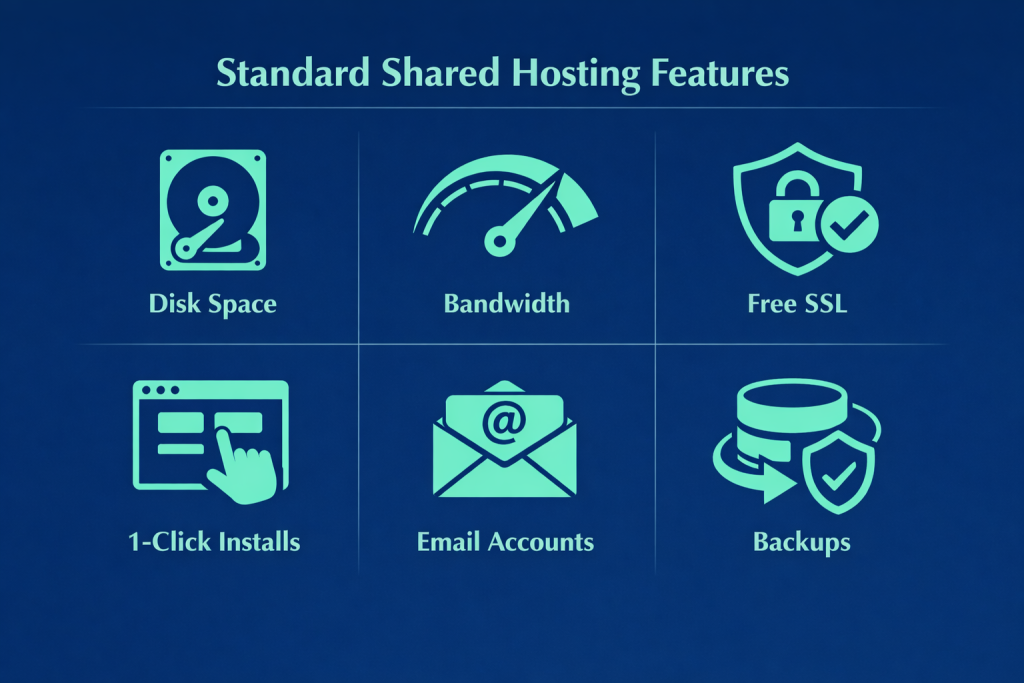
Disk Space: The storage capacity for all your HTML, CSS, images, videos, scripts, databases, and emails.
Bandwidth / Data Transfer: The amount of data your site can transfer to visitors over a given month. While some plans advertise “unlimited” bandwidth, there are always fair-use limits.
Email Accounts: The ability to create professional email addresses using your domain (e.g., [email protected]). If you need robust communication, look for solid email hosting canada features included in the plan, complete with Webmail, POP3/IMAP, and SMTP access.
Databases: Essential for dynamic sites (like WordPress or e-commerce). You’ll typically get MySQL/MariaDB for Linux or SQL Server for Windows.
Programming Language Support: PHP, Python, and Perl for Linux; ASP.NET and C# for Windows.
Control Panel: Your command centre (cPanel, DirectAdmin, Plesk) for managing the entire account.
One-Click Installers: Tools like Softaculous that let you deploy WordPress, Joomla, or Drupal in seconds without touching a line of code.
Domain & Subdomain Support: The ability to host multiple primary domains and create unlimited subdomains (like shop.yourdomain.ca).
FTP Access: For securely transferring files between your local machine and the server.
Free SSL (Let’s Encrypt): Crucial for encrypting data between the browser and your site, boosting security, and keeping Google happy for SEO.
Regular Backups: Automated backups to save you from catastrophic data loss.
Technical Support: Access to help via tickets, live chat, or phone.
Security Features: Reputable hosts implement firewalls, malware scanning, DDoS protection, regular security patching, and account isolation to mitigate the risks inherent in a shared environment.
Shared Hosting Pricing
The pricing for shared hosting is incredibly economical because the overhead of running the server is distributed among many clients. Plans vary widely based on resource limits and included features, typically ranging from a few dollars to maybe twenty bucks a month. It’s hands down the most financially accessible entry point for getting a project off the ground.
Conclusion
To wrap things up, shared hosting is a fantastic, budget-friendly launchpad for new websites. By sharing server resources, you get an easy-to-use environment—often powered by intuitive panels like cPanel—without breaking the bank. Just keep in mind the trade-offs: resource limits and the potential for noisy neighbours. As your site grows and demands more power, you’ll eventually need to scale up.
If you’re ready to take the plunge, Mixal offers incredibly reliable hosting solutions tailored to help you succeed. Whether you need a starter shared plan, are looking to register a new domain, or are ready to scale up to a robust vps hosting in canada, we’ve got the infrastructure and the support team to exceed your expectations and keep your business growing smoothly.
Frequently Asked Questions
Can I host multiple websites on one shared hosting account? (Addon Domains)
Yes, absolutely! Many shared plans allow you to host multiple distinct websites under a single account using a feature called “Addon Domains.” This lets you connect several domain names to your hosting and manage them as separate sites, provided you stay within your plan’s overall resource limits.
Is “unlimited bandwidth” in shared hosting truly unlimited?
Not exactly. When a host advertises “unlimited bandwidth,” it generally means they don’t impose a strict, hard cap under normal circumstances. It operates on a “fair use” policy. If your site suddenly starts consuming a massive, disproportionate amount of bandwidth that degrades the experience for others on the server, the provider will likely throttle your site or ask you to upgrade your plan.
How can I tell if a website is using shared hosting?
You can’t know with 100% certainty just by looking at the frontend. However, frequent slowdowns or inconsistent performance (the noisy neighbour effect) can be a clue. You can also use online Whois or DNS lookup tools to see if the site shares an IP address with hundreds of other domains, which is a strong indicator. Ultimately, the only way to know for sure is to ask the site owner.
Is shared hosting suitable for an e-commerce website?
It can be okay for very small, brand-new e-commerce sites with a limited product catalog and low traffic. However, for established online stores with high traffic, extensive inventories, and the need for complex processing (like secure payment gateways) and ironclad security, shared hosting is not recommended. For serious e-commerce, you really need the stability, security, and scalability of a VPS, cloud server, or dedicated server.